
Use Descript AI is an all-in-one audio and video editing tool that uses artificial intelligence (AI) to make content creation easier. Whether you are a YouTuber, podcaster, marketer, or content creator, Descript AI helps you edit videos just by editing text.
Imagine: You delete a word from a transcript, and the same word is removed from the video/audio automatically. That’s Descript AI.

2. Why Use Descript AI in 2025?
Here are the top reasons why Descript AI is trending in 2025:
-
 Edit like a document (no complex timeline tools)
 -
Remove filler words (like umm, uh) in one click
-
Overdub: Let AI clone your voice!
-
Screen recording + video editing in one place
-
Transcription is automatic and accurate
-
Easy for beginners, powerful for pros
5. Who Can Use Descript AI?
Descript AI is perfect for:
-
 Podcasters – Quick editing and transcription
 -
 YouTubers – Simple cut, trim, and enhance
 -
 Educators – Record and share lessons
 -
 Marketing teams – Create explainers and reels
 -
 Students – Create presentations or tutorials
 -
 Freelancers – Offer editing services
6. How Descript AI Improves Productivity
Using Descript AI can save hours of manual editing.
-
 Speeds up video editing by 10x
 -
 Removes unwanted words instantly
 -
 Allows collaboration (just like Google Docs)
 -
Makes podcast editing a breeze
-
 Share projects with a link (no extra software)
Unique Descript AI Tools You’ll Love
-
 Overdub: Replace or add words using AI-generated voice
 -
 Studio Sound: Clean up background noise automatically
 -
 Script Mode: Focus on your script while editing
 -
 Scene Editor: Drag and drop for visuals
 -
 Web Publishing: Make your podcast/video public with 1 click
Real User Reviews for Descript AI
Here’s what real users say:
“Descript AI changed the way I create content.”
Step-by-Step Guide: How to Use Descript AI
Visit: https://www.descript.com
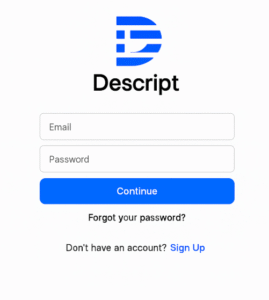
Step 1: Sign Up and Log In
Go to
 www.descript.com
Click on the “Get Started for Free” or “Login” button
Sign up with your email or use your Google account
After email verification, you’ll land on the Dashboard
Step 2: Create or Import a Project
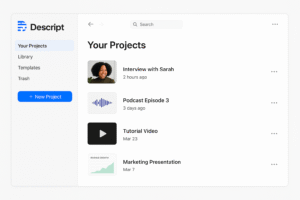
Once you’re in the dashboard:
Click “New Project” in the top-left corner
Name your project
Choose whether it’s an audio, video, or screen recording
 You can also import an existing media file:
MP4, MP3, MOV, WAV, etc.
Step 3: Automatic Transcription
Descript AI will automatically transcribe your media:
Transcription starts instantly after upload
You’ll see the text in a document-style interface
Supports multiple languages (mostly English with high accuracy)
You can edit the video/audio by editing this transcript!
Step 4: Edit by Editing Text
This is where Descript shines:
 Delete a word from the transcript → that part is removed from the audio/video
 Correct any word → it updates accordingly
 Split scenes with the Enter key
 Highlight text to add effects, transitions, or cuts
You can also:
Auto-remove filler words (like um, ah, you know)
Detect and cut silence with a click
Step 5: Use Overdub (AI Voice Cloning)
Overdub is one of Descript’s most powerful tools:
Train your voice using a script
Record a few sample lines
Descript AI builds your custom voice model
Now, you can type words, and it will say them in your voice!
Use Overdub to:
Fix mistakes without re-recording
Add lines you forgot
Change phrases for different audiences
Note: Overdub is available only on paid plans.
Step 6: Add Videos, Images, or Screen Recordings
Use the sidebar to upload visuals
Add captions, transitions, or music
You can even record your screen directly in Descript!
This makes it perfect for:
Tutorials
Courses
Demo walkthroughs
YouTube videos
Step 7: Enhance with Studio Sound
Studio Sound is an AI-based enhancement feature:
Removes background noise
Boosts voice clarity
Applies studio-quality sound without expensive gear
Just click on your audio clip → turn on Studio Sound in the properties panel.
Step 8: Export or Publish Your Project
After editing:
Click on File → Export
Choose format:
Video (MP4)
Audio (MP3/WAV)
Transcript (TXT, DOCX, PDF)
Or use “Publish” to:
Share with a link
Embed in a website
Post to social platforms
You can also publish directly to:
YouTube
Buzzsprout
Transistor
Spotify (via RSS)
Custom platforms via Zapier
Step 9: Collaborate with Team Members
Descript supports real-time collaboration:
Share your project with your team
Comment, suggest, or edit together
Works like Google Docs for audio/video
Ideal for podcast teams, video editors, marketing teams
Step 10: Learn More Inside Descript AI
Descript offers built-in tutorials:
Click on Help → Descript Academy
Access video lessons, sample projects, and community guides
You can also visit: https://help.descript.com
Pros and Cons of Descript AI
Pros:
-
Fast editing
-
AI voice cloning
-
Free version available
-
Good for beginners
 Cons:
Cons:
-
Overdub has limits on free plan
-
Requires internet
-
Some advanced edits may need manual fine-tuning
 Works on both Windows and macOS
 Download Descript AI App